Free URL shortener with click tracking: a guide
What a URL shortener with click tracking can tell you, how to read the numbers honestly, UTM tags, redirects and the limits of free plans.
How cafés and cloud kitchens in India can take orders on WhatsApp with a menu link, table QR codes and UPI, and keep the full bill.
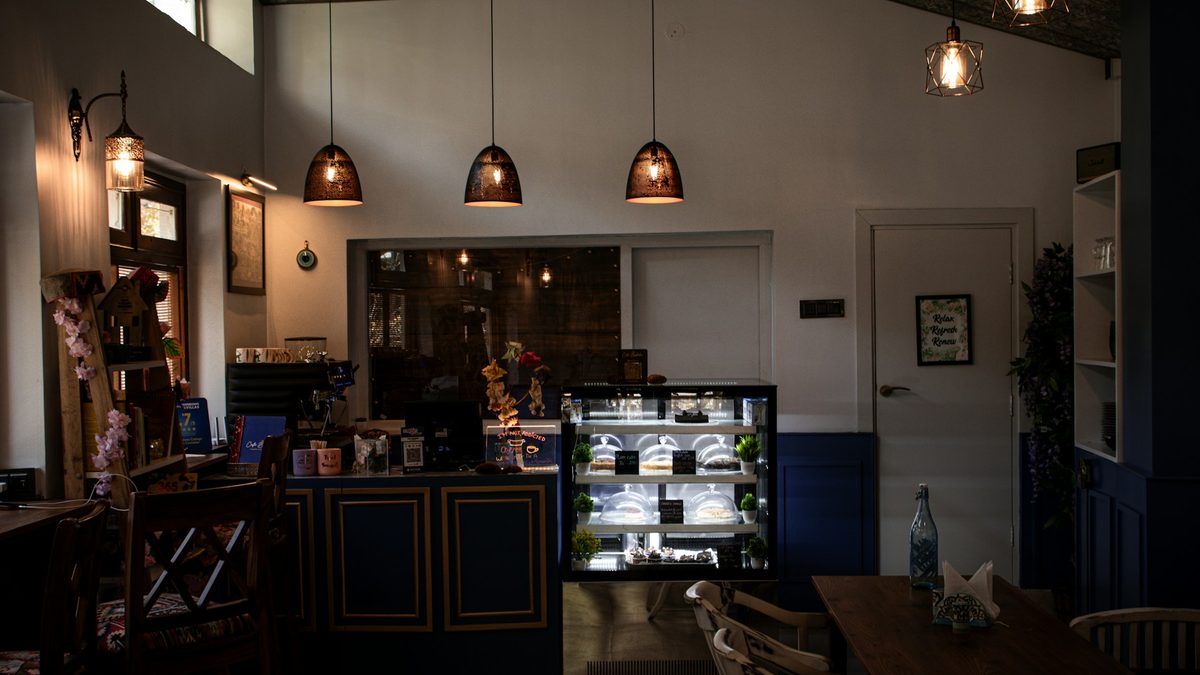
Ask any café owner in India about delivery apps and you will hear the same complaint: the apps bring orders, and they take a big piece of every one. In its 2021 complaint to the Competition Commission of India, the National Restaurant Association of India said commissions ran from about 20% to 30% of order value, and restaurant groups have kept raising the issue since. Add GST on the commission, payment charges and discounts you are pushed to fund, and a ₹400 order can leave much less than ₹400 in your account.
You can't walk away from the apps overnight, and you probably shouldn't. They bring people who have never heard of you. But your regulars, the office down the road and the families who order every Sunday already know you. Those orders can come to you directly, on WhatsApp, with the full bill paid to your UPI ID.
This guide covers how to set that up properly, so it feels as easy for the customer as an app and doesn't turn your phone into chaos.
Your customers already have WhatsApp open all day. They don't need to download anything, create an account or remember a password. You get their number with the order, so you can tell them when the food is ready, send this week's specials and reach them again next month.
The problem with "just message us on WhatsApp" is what happens next. A customer types "1 cold coffee 2 sandwich", you reply asking which sandwich, they ask the price, you send a photo of the menu, they change their mind. Ten messages for one order, and at lunch rush you have twenty of these going at once. The fix is to let customers build the order themselves from a proper menu, and send it to you in one clean message.
Put your menu on a simple web page: categories, items with prices, veg or non-veg marks, photos for the best sellers, and sizes or add-ons where you have them. The customer taps items into a cart, chooses dine-in, takeaway or delivery, adds a name and a note, and presses order.
At that point the order goes to WhatsApp as a ready-made message, something like this:
Order #A1027 from Riya. Takeaway at 1:30 pm. 1 x Cold coffee (large) ₹180, 2 x Paneer sandwich ₹320. Total ₹500. Note: less ice.
The customer presses send in their own WhatsApp. You receive one tidy message with everything you need, and you reply to confirm.
This uses nothing but ordinary WhatsApp links, the same click-to-chat links anyone can make with wa.me. No WhatsApp Business API, no per-message charges, no approval process. The free WhatsApp Business app on your phone is enough, and it adds useful things on top: a business profile, quick replies for "Your order is confirmed" and "Ready for pickup", labels to sort chats, and an away message for when you are closed.
Show your UPI QR code and a pay button on the order page and in your confirmation message. UPI payments to a merchant go straight to your bank account, and under the zero MDR rules that apply to UPI today, your bank does not charge you for receiving them. Ask for payment before you start cooking delivery orders, or take it at the counter for dine-in and takeaway, whichever suits your kitchen.
A tip that saves a lot of confusion: put the order number in the UPI note. When you check payments at the end of the day, you can match each one to an order without guessing.
For dine-in, print a QR code for each table that opens the menu with the table number already filled in. Guests scan, order from their phones and the order reaches you with "Table 6" at the top. This works well in busy cafés where waiting for a server to take the order is the slowest part of the visit.
Laminate the codes or print them on acrylic stands, and test each one with two or three different phones before you put it out. Our guide on dynamic and static QR codes explains why a dynamic code is worth it for anything you print in bulk.
The same menu link goes in your Instagram bio, your Google Business Profile, your WhatsApp Business profile, the bag stickers and the flyers you drop in nearby offices. Customers who order once can order again from the link in their chat history.
The menu page solves the messy first message. You still need a way to keep track of orders once they arrive.
Delivery is the part of the apps' fee that buys you something real: a rider. If you deliver directly, you have three practical options. Keep a delivery radius small enough for your own staff on a scooter. Book a hyperlocal courier from one of the parcel delivery apps for each order and add the charge to the bill. Or offer takeaway only for direct orders and keep delivery on the apps. Many cafés start with the third and add their own delivery once direct orders pick up.
It is also worth knowing about ONDC, the government-backed open network for digital commerce, where restaurants can list through a seller app and reach buyers on several apps at once. It is a different model from WhatsApp ordering and comes with its own fees and setup, but it is worth comparing if delivery is most of your business.
People keep using the app out of habit. A few things change the habit without annoying anyone:
Be careful with the first one if your app partner agreement restricts marketing to customers who ordered through the app. Read your contract.
Bliink was built partly for this. You set up your shop once with your menu, prices, food type marks, sizes and extras, your WhatsApp number, your UPI ID and how long the kitchen needs. You can switch ordering off, pause it when the kitchen is swamped and mark dishes sold out for the day. Customers get a menu page that matches your Bliink page's look, with a cart and a choice of table, takeaway or delivery and a pickup time. When they order, Bliink saves the order and opens WhatsApp with the message already typed. The customer presses send, you get the order, and you can manage it from an order screen that shows new, in the kitchen, ready and done. There is also a printable sheet of table QR codes and a kitchen ticket.
Bliink never sends WhatsApp messages on your behalf and does not take a commission on orders. Money goes straight to your UPI ID. Menu ordering is part of the Shop plan at ₹299 a month. See how cafés and outlets use Bliink, or start free and set up your page first.
No. Click-to-chat links work with the regular WhatsApp or the free WhatsApp Business app. The API is for sending messages automatically at scale, and it is paid and needs a provider. For a café, the free app is usually enough.
Ask for UPI payment before you prepare delivery orders, and call back any large first order. Because the customer sends the order from their own WhatsApp, you always have a real number to reply to.
UPI covers most customers. For cards you need a payment gateway or a card machine at the counter, both of which charge a fee per transaction.
Most cafés shouldn't, at least not straight away. Use the apps to be found and use direct WhatsApp orders for regulars. Watch what share of your orders comes direct each month and decide from there.
WhatsApp and the WhatsApp Business app are free. On Bliink, menu orders are part of the Shop plan at ₹299 a month, with no commission on orders.
Cover photo: Akshat Jhingran on Unsplash.
A menu page, table QR codes and orders that land in your own WhatsApp. Payment goes to your UPI ID.
What a URL shortener with click tracking can tell you, how to read the numbers honestly, UTM tags, redirects and the limits of free plans.

How independent musicians in India can use one smart link for a new single or EP: what to put on it, pre-saves, and how to read the clicks.
How Indian D2C brands can build an Instagram ad landing page that loads fast in the in-app browser, matches the ad and turns clicks into orders.